
Massive Visual Effects Overhaul

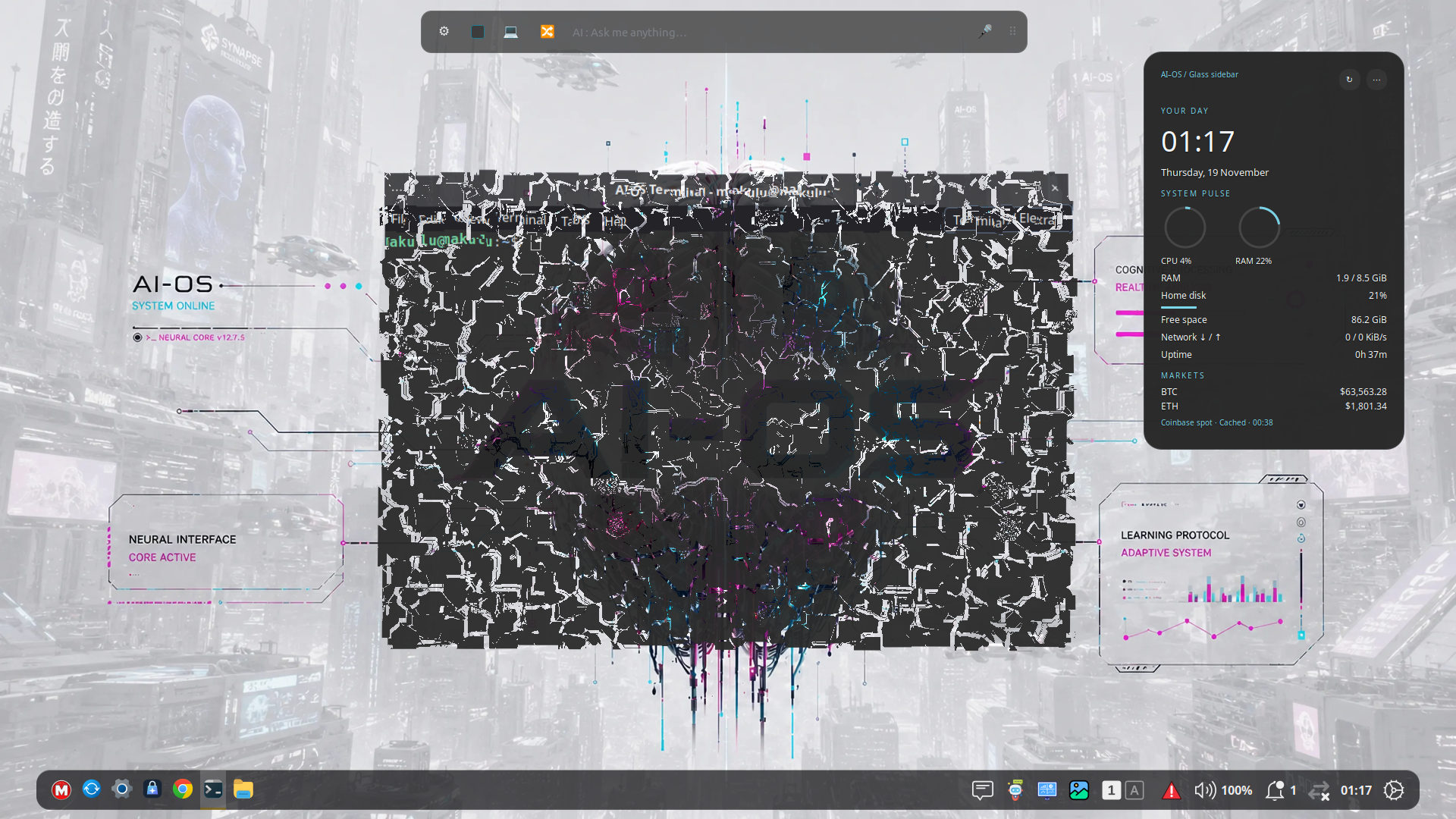
AI-OS Builds 121 → 135: Massive Visual Effects Overhaul, Next-Gen Desktop Dashboard, Instant Shell Updates & Unified Appearance Studio
Hey everyone!
We’ve just wrapped up a 15-build sprint (1.0.0.121 through 1.0.0.135) packed with huge visual upgrades, performance fixes, desktop polish, and long-requested Compiz-style nostalgia. Whether you love customizing every pixel of your desktop, watching windows shatter into 3D glass shards when closed, or keeping live crypto/news/weather/AI stats pinned cleanly to your wallpaper without flicker — this update wave transforms the daily AI-OS experience.
Here is everything new across Builds 121 to 135.
1. The Burn-My-Windows & GPU Special Effects Revolution (Builds 123, 124, 126, 127, 129, 130)
Closing and managing windows on AI-OS just went to a whole new level:
- 16 Reworked Window Closing Shaders & Animations (Builds 124, 126, 129):
- T-Rex Attack: Rips right through your window with violent claw slashes and sends separated, textured window pieces tumbling away!
- Matrix Code Rain: Replaces your closing window with falling digital glyphs, bright white tips, and fading green trails.
- Glass Shatter (Compiz): Voronoi glass shards that explode cleanly when a window closes.
- CRT TV Power-Off, Pixel Dissolve, Portal / Energize, TV Glitch, Pixelate, Hexagonal Mesh, Incinerate, Doom Melt, and Fire: Adapted Burn-My-Windows GLSL compositor shaders with crisp premultiplied output, off-window edge clamping, texture/shader caching, and clean actor cleanup.
- Spring Physics, Glide, Gentle Zoom, and Soft Fade: Refined easing and dedicated motion curves.
- Multi-Select Closing Effects Checklist (Build 127):
- Instead of being stuck picking just one effect or "all random", Settings → Effects now gives you a 16-item tick-box checklist:
- Tick 2 or more → AI-OS automatically randomizes among only your ticked favorites!
- Tick 1 → That effect runs 100% of the time.
- Tick 0 → Cleanly returns to standard window closing.
- Instead of being stuck picking just one effect or "all random", Settings → Effects now gives you a 16-item tick-box checklist:
- GPU Wow-Factor Compositing & Spatial Effects (Builds 123, 124):
- Focus Beam Sweep, Chameleon Wallpaper Color Sync, 3D Coverflow Alt+Tab Switcher, Fluent Specular Cursor Reveal, Spatial 3D Card Tilt, Water Ripple Shader (Super+Alt+R), Glass Magnifier Lens (Super+Z), and Audio-Reactive Glow Aura.
- Balanced Recursive BSP Auto-Tiling (Build 123): Produces clean 2×2 grids instead of crushed narrow columns, retiles properly after windows settle, and respects minimum window sizes.
- Smart Hardware Detection (Build 123): First-login hardware detection keeps heavy effects disabled on lower-spec systems while never overriding your manual choices afterward.
- Snappy Out-of-the-Box Defaults (Build 130):
- Opening / Minimizing / Restoring: Gentle zoom
- Closing effect: Glass Shatter (Compiz) ticked by default
- Active Window Glow Border: Enabled (2px)
- Animation Speed: Set to Faster
- Spring Physics, Auto-Tile, and System-Wide Backdrop Blur: Off by default so the desktop feels ultra-snappy on every machine while remaining one click away in Settings or Quick Settings.
2. Compiz-Style Wobbly Windows Maximize & Unmaximize Bounce (Builds 131, 133, 134)
Wobbly Windows wasn’t truly complete with drag wobble alone — now it brings back that iconic Compiz elastic bounce whenever a window changes size!
- Double-click a title bar to maximize (or middle-click to restore, or use keyboard shortcuts) and watch the window flex, stretch, bounce, and settle elastically into place using corner and center spring anchors.
- New Maximize and unmaximize bounce Slider in Settings → Effects → Wobbly Windows:
- Expanded all the way up to 4.0 with a punchy 2.0 default!
- Dial it down to 0 anytime if you prefer drag wobble only.
3. Desktop Dashboard 2.0: Flicker-Free, Multi-Source & Fully Customizable (Build 132)
The native Desktop Dashboard widget received a massive upgrade:
- Zero-Glitch In-Place Refresh: Previously, 5-second data ticks rebuilt the widget tree, causing a visible flicker/reload. Now clock labels, CPU/RAM Cairo gauges, progress bars, weather, Electra quota, news, and crypto prices all update smoothly in-place with zero visual reload.
- 8 News Sources with Tick-Box Selection: Choose any combination of BBC World, The Guardian, NPR News, Al Jazeera, Deutsche Welle, France 24, CNBC World, and Ars Technica right in Settings → Desktop Dashboard with Select all / Clear all buttons.
- 16 Cryptocurrencies with Tick-Box Selection: Expanded Coinbase USD spot tracking to BTC, ETH, SOL, XRP, ADA, DOGE, AVAX, DOT, LINK, LTC, BCH, UNI, ATOM, XLM, NEAR, and SUI (with smart 4-decimal precision for sub-dollar coins).
- Visual Weather Icons: Added condition-tinted symbolic weather icons (clearsky, day/night, clouds, fog, showers, snow, storm) right beside the temperature and forecast.
- Full Size & Movement Controls:
- Position Anchor: Auto, Top-Left, Top-Right, Bottom-Left, Bottom-Right, Top-Center, Bottom-Center, Center, or Custom.
- Unlock & Drag Anywhere: Turn off Lock position (in Settings or via right-click menu) to drag the dashboard anywhere on your desktop, plus Custom X/Y, Custom Width (px), Corner Roundness (px), and Show Glass Border toggles.
- Electra Account & Quota Sync Fix: Fixed stale retry timers when toggling Electra on/off, shortened reconnect retries to 30–45 seconds (and connected syncs to every 2 minutes), and added an on-demand Sync now button in both Settings and the dashboard widget.
4. Unified Appearance Studio + Icons & Mouse Pointers (Builds 128, 135)
We want AI-OS to be a cohesive, customizable desktop where you tailor our crafted themes rather than breaking your system with mismatched third-party themes:
- Single Customization Hub (Build 135): Removed the old Themes module from AI-OS Settings and the application menu so Appearance Studio is your one-stop shop for desktop styling.
- New Icons & Pointer Tab Inside Appearance Studio (Build 135): Browse and apply installed Icon themes (with folder previews) and Mouse Pointer themes (with cursor thumbnails) directly inside Appearance Studio!
- Menu System Icon Contrast Fix (Build 128): Fixed explicit foreground/hover colors on .menu-favorites-button so Shutdown, Logout, and Lock Screen icons in AI-OS Custom and Dark/Light themes stay clearly visible without needing to hover.
5. Quality-of-Life, Speed & Updater Improvements (Builds 121, 122, 125, 126, 127, 133, 134)
- Automatic Post-Update Shell Restart on X11 (Build 134): Tired of rebooting after every update just to see new desktop features? Starting from Build 134 onward, once an update finishes (via AI-OS Update Manager or apt/dpkg), AI-OS automatically performs a clean once-per-build Cinnamon shell hot-restart on X11 — keeping all your open apps and windows untouched while applying new JS, themes, applets, and desklets immediately. (Safe no-op on Wayland.)
- Direct Shut Down Button in Quick Settings (Build 133): Replaced the extra Session toggle + sub-row in Quick Settings with a direct Shut down button that opens the full power options dialog right away.
- Blazing-Fast Root (admin://) Deletion in Files (Build 126): Deleting gigabytes of files/folders in Open as Root mode no longer takes 30+ minutes over per-file GVfs D-Bus round-trips — confirmed root deletions now fast-path cleanly in seconds.
- Startup Black Screen Fix (Build 127): Resolved duplicate GTypeName shader registration so Cinnamon boots cleanly every time.
- Safe Software Center Upgrade (Build 122): Switched ai-os-software-center to dpkg-divert so existing systems upgrade smoothly with --no-remove.
- Latest AI News Rendering & Scrolling Fix (Build 121): Fixed blank white article panes and scroll freezes on VMware/WebKitGTK 4.1, preserved reading position across feed refreshes, and added an Open in Browser button.
- AI Settings Upgrade Callout (Build 125): Free and trial users see a clear, friendly support callout in AI Settings → Account Manager linking to Patreon and Stripe tiers.