
AI-OS Desktop: A More Personal, Connected Desktop

AI-OS Desktop: A More Personal, Connected Desktop
What’s new across builds 1.0.0.80–1.0.0.95
AI-OS continues to develop its own identity: a modern Linux desktop that brings useful information, flexible design and Electra AI closer to everyday work.
This series introduces new ways to personalize your desktop, discover wallpapers, navigate files, protect your AI setup and stay connected with MakuluLinux news. Underneath those visible changes, we have also strengthened Debian and Ubuntu compatibility and addressed several installation and update problems.
These remain Alpha releases. Familiar workflows stay available while newer features receive broader testing.
The highlights
- Four Files layouts: Classic, Modern, Minimal and Explorer.
- Glass Desktop Dashboard: fourteen layouts with system information and optional online content.
- Online wallpapers: search, preview and apply images directly inside Backgrounds settings.
- Debian and Ubuntu improvements: compatibility work targeting Debian 13, Ubuntu 24.04 and Ubuntu 26.04.
- AI Backup/Restore Tool: protect selected Electra settings and personal data.
- Latest AI News: an unread indicator and integrated article reader.
- Installer safeguards: stronger NVIDIA validation and failure handling.
Files: choose your layout
Files now offers four selectable layouts, giving you more control over how you work:
Classic retains the familiar interface and remains the default.
Modern refreshes navigation, toolbar spacing, the sidebar and tabs.
Minimal reduces visual clutter, keeps the full top menu and combines layout controls with navigation.
Explorer adds a more defined sidebar and rounded tabs.
Enable View → AI-OS Layouts to try the alternatives. They follow your current theme colours, and you can return to Classic immediately.
A read-only Details pane displays information about the selected item, including its type, size and modification time. Visibility is remembered separately for the alternative layouts, and the interface makes room for file views on smaller windows.
This redesign changes presentation while preserving the established file-operation engine. Tabs, dual panes, keyboard shortcuts, extensions and administrator browsing remain available.
Your desktop, at a glance
The new Desktop Dashboard sits above the wallpaper and behind ordinary application windows.
Its default appearance is a translucent glass sidebar on the right. Text stays opaque, while a stronger background tint helps information remain readable over detailed wallpapers.
The rotate button cycles through fourteen layouts, including sidebar, square, panorama, minimal, ribbon and corner arrangements.
Two optional Cyberpunk designs introduce dark glass, cyan outlines, orange gauges and magenta accents:
- Cyberpunk Panel: a tall information panel.
- Cyberpunk Square: a wider dashboard arrangement.
Available information includes:
- CPU and memory usage.
- Home-disk capacity and free space.
- Uptime and network throughput.
- Temperature readings where supported sensors are available.
- Optional weather forecasts and news headlines.
- Electra connection status and remaining quota.
- Optional Bitcoin and Ethereum USD spot-price snapshots.
Settings provides colour pickers, text and accent colours, monitor selection, size and edge spacing. Background opacity now supports the complete 0–100% range, including a fully solid background.
Right-click the dashboard to open settings, cycle layouts or hide it. Layouts scale to the available screen space without requiring scrolling.
Dashboard reliability improvements
We corrected the enabled-but-missing dashboard problem by moving registration into desktop startup and adding recovery through Settings.
Removing the dashboard records your choice rather than forcing it back at the next login. You can explicitly restore it from Settings.
Weather visibility now behaves consistently across all fourteen layouts: turning it off removes its section.
Weather and online information
Weather supports a manually chosen location and a Detect my location button. Detection performs a one-time lookup for an approximate city, which you can correct manually. It does not continuously track your location.
A VPN can affect location accuracy.
Weather refreshes hourly by default, headlines every three hours, and cryptocurrency snapshots hourly. Cached information includes timestamps and unavailable states.
The dashboard currently uses tinted translucency. True background blur and full stock-market charting are not included in this series.
Find wallpapers without leaving Settings
Backgrounds → Online brings photo search, previews and photographer credits into the existing Backgrounds page.
Search for a subject, inspect a result, then import and apply it.
Imported images now save into Pictures/wallpaper in your own account. Custom and localized Pictures locations are supported, and personal imports no longer require administrator authorization.
Saved images appear under Images → Online imports, ready to use again. Earlier system-level imports remain accessible as Previous online imports.
Downloads are validated and saved atomically. If an import fails, your current wallpaper is preserved.
A stronger Debian and Ubuntu foundation
This series makes substantial improvements toward supporting:
- Debian 13
- Ubuntu 24.04
- Ubuntu 26.04
The current validation target is amd64.
The package set now includes matching Settings Daemon, GTK4 layer-shell and symbolic icon components, reducing problems caused by mismatched distribution companions.
Native desktop components are built against the older Ubuntu 24.04 library baseline. The compiled AI gateway carries its own Python runtime, removing the requirement for one specific system Python version.
Firefox, Thunderbird and Gedit are now optional rather than compulsory dependencies. Existing applications and valid preferences are preserved.
Repository handling was also corrected so an unknown Ubuntu release does not automatically fall back to a Debian-based LMDE repository.
Additional compatibility work covers distribution-specific network-tool package names and a keyboard-layout viewer fallback when an optional Python binding is unavailable.
Installation and isolated X11 startup checks have been exercised across the three target bases. This is not blanket hardware certification: networking, suspend, graphics drivers, Wayland and real-machine login still require broader testing.
More reliable updates
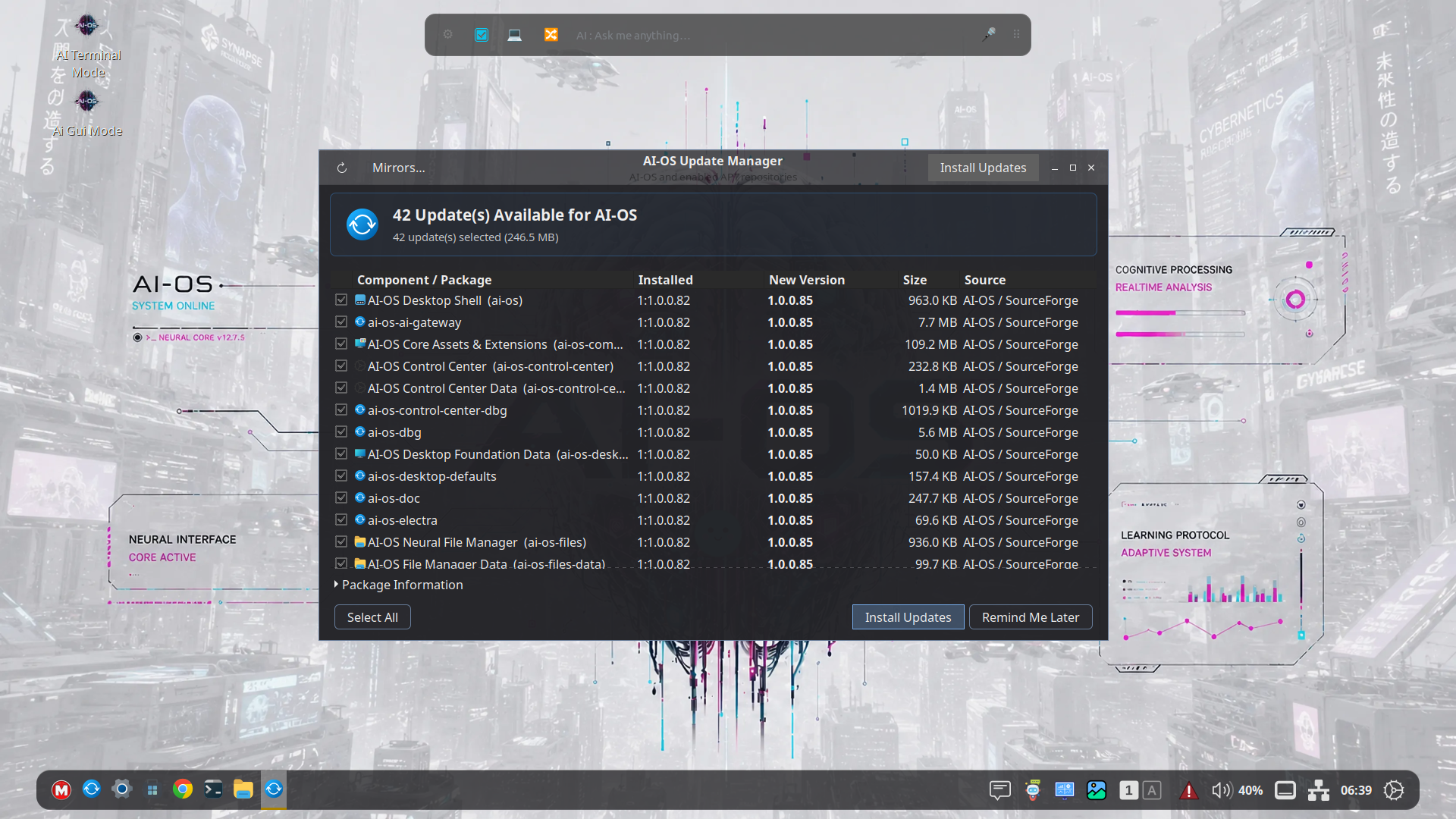
A Debian updater correction addresses companion packages being skipped during release upgrades.
The underlying issue involved Debian’s version epoch—a part of the package version that is not included in the download filename. Without it, an older updater could mistakenly consider the distribution’s runtime package newer than the matching AI-OS package.
Matching-release discovery now restores that version information.
Users running an older updater may need a one-time repair before upgrading the complete package set. Dependency errors involving the Settings Daemon or GTK4 layer-shell runtime should be reported rather than bypassed with forced installation.
NVIDIA installer safeguards
Build .94 strengthens the separately deployed live installer’s NVIDIA handling.
Changes include:
- Recognizing the driver’s actual module filenames.
- Checking modules against the target kernel and initramfs.
- Requiring matching NVIDIA driver components.
- Rejecting conflicting boot options.
- Handling uncertain Secure Boot conditions explicitly.
- Attempting default-graphics recovery after a failed driver installation.
A failed driver setup still stops installation success; it is not silently treated as a completed installation.
These safeguards do not certify every NVIDIA card and kernel combination. Kernel 6.19.14 requires its exact, complete matching headers and build dependencies, and physical NVIDIA boot testing remains important.
Installer fixes must be included in the ISO. Desktop deb updates do not replace the live installer.
Protect your AI setup
Build .95 introduces AI Backup/Restore Tool, available in the main menu and Settings → AI Settings.
Select supported Electra settings and data locations, then save them into a compressed archive. The GUI shows what is selected and reports progress.
Restore checks the archive, verifies file integrity and creates a safety backup of files it will replace. Files are restored into the current user’s home directory with private permissions.
For database-backed data, SQLite snapshots include information held in the write-ahead log.
Close AI applications before restoring.
This is a targeted AI backup tool, not a complete system-image backup. Archives may contain account credentials and personal conversations. They are not encrypted, so keep them somewhere private.
Latest AI News
AI-OS now includes a direct channel for MakuluLinux announcements and articles.
An unread indicator near the clock flashes when new articles are available. Clicking it opens Latest AI News, with an unread-first article list and an integrated reader.
Articles are marked read after a successful embedded load.
The watcher checks every fifteen minutes and does not automatically open a window. Menu and Settings shortcuts are also available.
News delivery requires the publishing service to be deployed and reachable. It does not require an AI login or consume chat quota.
Effects and workspace refinements
Build .80 improves access to the existing Desktop Cube with:
- A Test Cube control and clearer eligibility feedback.
- A nearby Workspaces shortcut.
- Super+Alt+Left/Right as an alternative activation method.
- Cube routing for eligible workspace-applet navigation.
The alternate shortcut can help in VMware, where Ctrl+Alt may be intercepted by the host.
The overview remains a separate navigation interface. Cube support is initially single-monitor and respects animation and rendering restrictions.
The retired bundled Blur Overview and Compiz Wobbly extensions were removed. Native Wobbly remains available in Effects, while unrelated extension choices are preserved.
For the technically curious
| Builds | Main focus |
|---|---|
| .80 | Cube activation, diagnostics and extension cleanup |
| .81–.82 | Files redesign, selectable layouts and Details preferences |
| .83–.85 | Runtime portability and Debian/Ubuntu compatibility |
| .86–.88 | Online wallpapers, update discovery and personal image storage |
| .89–.93 | Dashboard introduction, startup recovery, Cyberpunk layouts and controls |
| .94 | NVIDIA installer validation and recovery safeguards |
| .95 | AI Backup/Restore and Latest AI News |
Some intermediate builds were internal validation steps rather than separate feature launches.
By build .95, the release produces 42 packages. Validation includes package-version and payload checks, 233 regression tests, installed Debian desktop checks, and Backup/Restore and news-reader fixture workflows. Complete-package dependency simulations also passed on Ubuntu 24.04 and 26.04 for that build.
Thank you for the continued support. MakuluLinux AI-Os Desktop is nearing readiness for a full public release. Keep an eye on this one...